Run 1 ·
AI tools directory: Opus 5.5 vs GPT-6.1 Sol
An out-of-the-box, almost text-free directory of AI tools.
Short answer: from the same prompt, Opus 5.5 took 15 min and 19% of a 5-hour limit; GPT-6.1 Sol took 14 min and 6% of a 5-hour limit. Both builds are live below, with their full source code.
| Claude ProOpus 5.5 | ChatGPT PlusGPT-6.1 Sol | |
|---|---|---|
| Time | 15 min | 14 min |
| 5-hour limit usedClaude Code ran as claude -p, which uses about 1.7 to 1.8 times as much of the 5-hour limit per token as an interactive Claude Code session. | 19% | 6% |
| Same work on the APIat list prices | $3.34 | $0.48 |
| Files in the code | 17 | 15 |
| Lines in the codelockfiles left out | 2,212 | 358 |
| npm packages | 15 | 4 |
| Published app size | 370 KB | 378 KB |
What did each agent say it built?
The last message each agent wrote when it finished, unedited.
Opus 5.5 Claude Pro
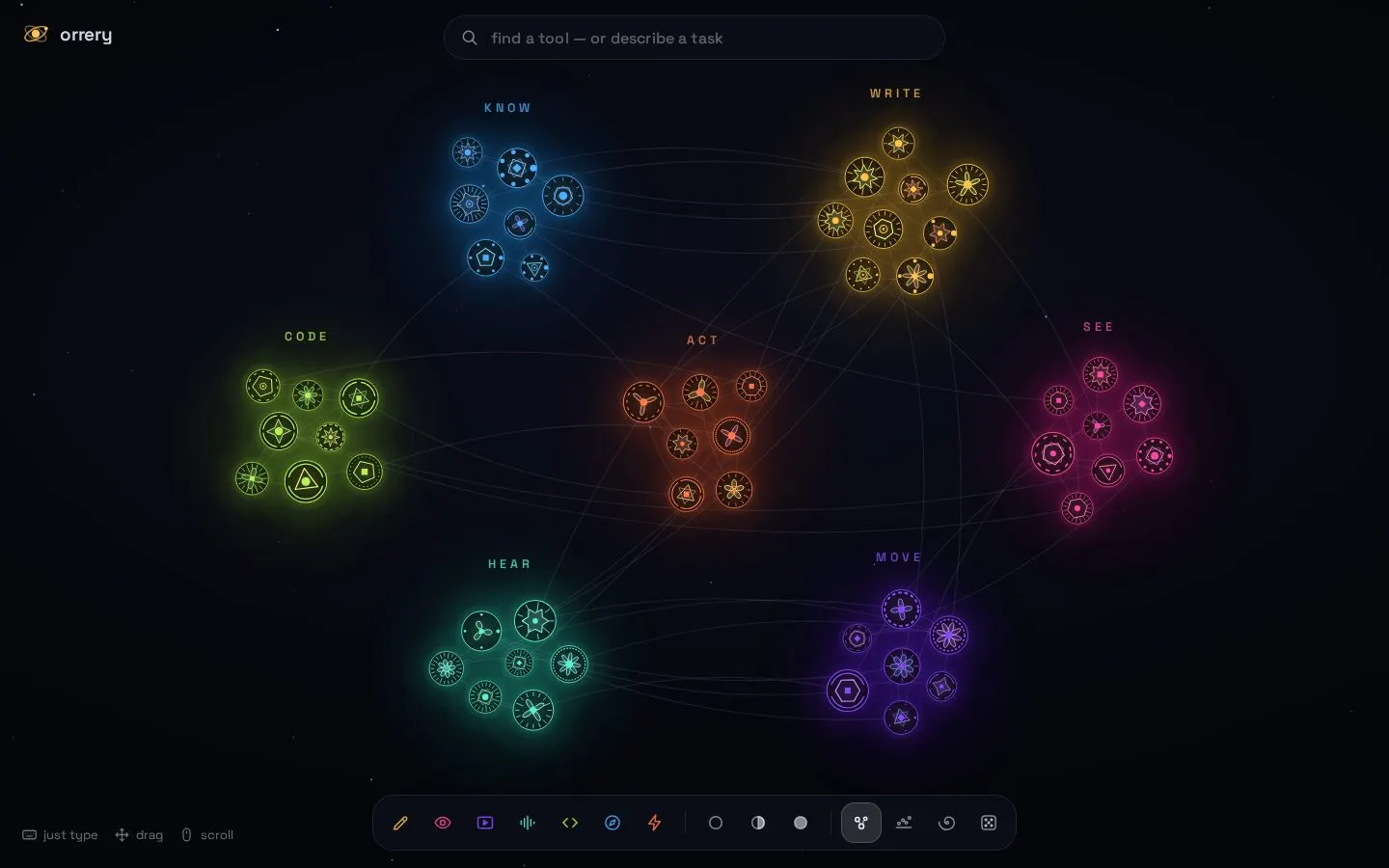
I built orrery, an AI tool directory laid out as a living star map instead of a search bar over a grid of cards. It's committed on main. I checked it in headless Chrome at desktop size and on an emulated iPhone 13, and a clean install, build and start from run.json works with a custom PORT.
What it is
- 53 made-up tools in 7 kinds, each named with one verb: write, see, move, hear, code, know, act. They're linked by ~85 "pairs with" connections, and every tool has a tagline, a one-sentence description, price, platforms, launch year and a popularity score.
- Every tool has its own emblem. It's generated from the tool's name, so the same tool always looks the same. Emblems are colored by kind and sized by popularity.
- The home view is seven glowing clusters that gently drift. Hovering a tool lights up the lines to the tools it pairs with. Zooming in shows names.
- Three arrangements, with animated transitions between them:
- by kind (the clusters)
- by year (a timeline with one lane per kind)
- by popularity (a spiral with the most popular tools in the centre)
- Search starts as soon as you type anywhere. It accepts names or plain tasks like "remove background from photo" or "automate my email". Matching tools light up, the camera moves to them, and the top results appear as clickable chips. Arrow keys and Enter work.
- A small icon dock filters by kind and by free / freemium / paid, switches the arrangement, and has a "surprise me" button that opens a random tool.
Finding a tool and sharing it
- Clicking a tool flies the camera to it and opens a detail panel (a bottom sheet on phones). The panel shows the animated emblem, the tool's details, its "pairs with" tools and others of the same kind, plus previous/next buttons and a copy link button. On phones, sharing uses the phone's own share menu.
- Every tool has a real URL,
/t/<slug>. Opening it directly loads that tool, and back/forward work. - Each tool page is also pre-built as its own HTML file with its own title and description, so a shared link shows a proper preview. Nodes are real links, so Ctrl/Cmd-click opens a new tab.
Stack: Vite + TypeScript, with d3 for zooming and node layout. It's served by a small dependency-free Node server (server.mjs). run.json runs npm ci && npm run build, then node server.mjs.
Limitations
- The tools are fictional, so there's no "visit website" link.
- Link previews have a title and description but no image.
- Searching "translate" also returns Shellsage, because its description says it "translates intent into shell commands".
npm packages: @fontsource-variable/jetbrains-mono, @fontsource-variable/space-grotesk, d3-ease, d3-force, d3-interpolate, d3-selection, d3-transition, d3-zoom, @types/d3-ease, @types/d3-force, @types/d3-selection, @types/d3-transition, @types/d3-zoom, typescript, vite
GPT-6.1 Sol ChatGPT Plus
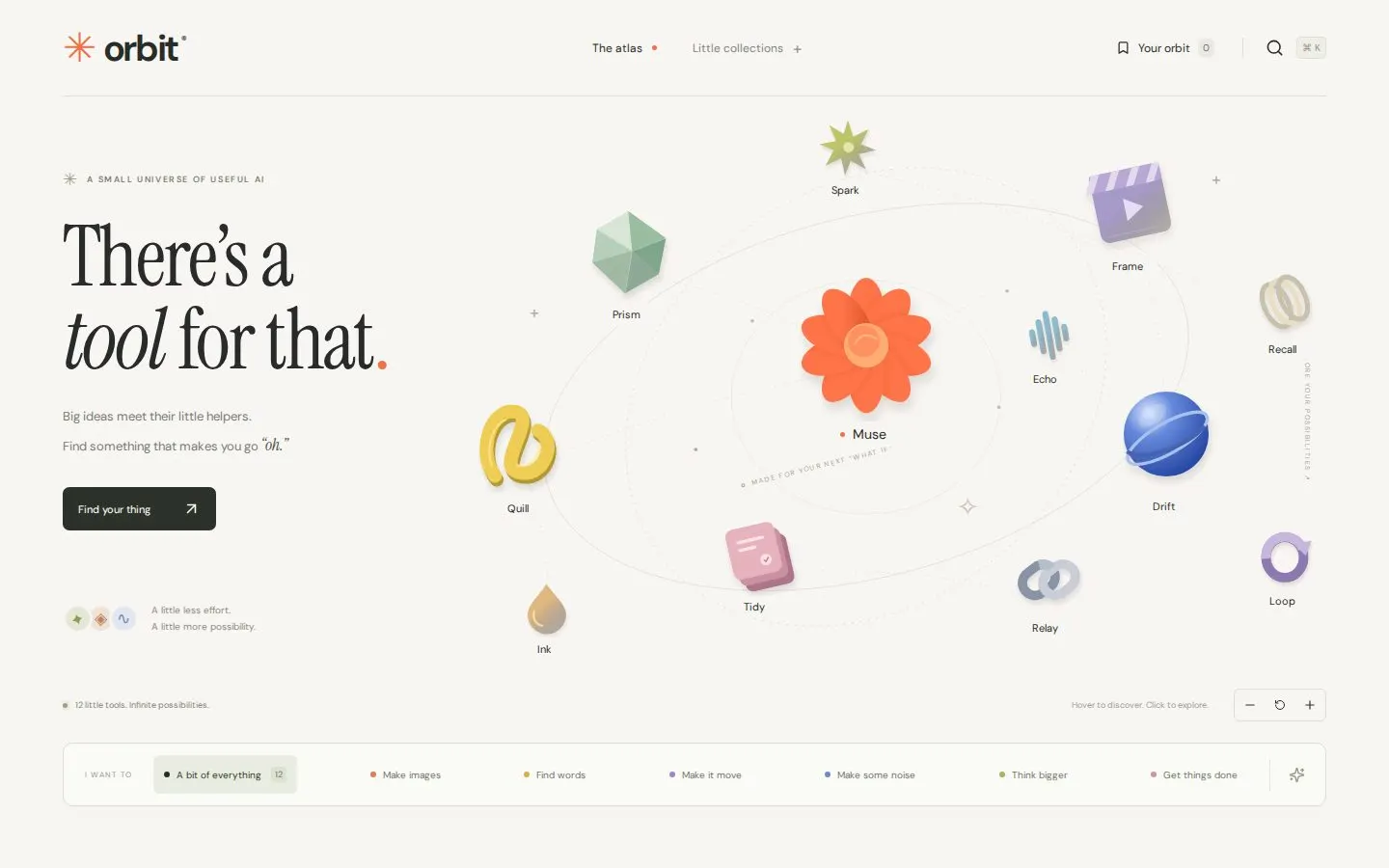
Built Orbit, an animated atlas of 12 fictional AI tools with intent filters, search, saved favorites, shareable links, and interactive demos.
Responsive desktop and mobile layouts verified. Production build passes, and run.json is included.
npm packages: react, react-dom, lucide-react, vite
What was the prompt?
Both agents got this brief once, followed by the delivery contract that ends every prompt. Download the full prompt (.md)
An out-of-the-box directory of AI tools
Build a directory website for AI tools.
Make up the tools yourself: names, what they do, how they relate to each other. Mock content is fine, and you decide how much of it there is.
Directory sites usually look the same: a search bar and a grid of cards. Do something else. Use as little text as you can and let the visuals and the motion do the work, the way the best interactive landing pages do. It should still work as a directory: people can find a tool they need and send someone a link to it.