Run 1 ·
Presentation maker: Opus 5.5 vs GPT-6.1 Sol
A calm slide editor and presenter people would pick over the one at work.
Short answer: from the same prompt, Opus 5.5 took 34 min and 49% of a 5-hour limit; GPT-6.1 Sol took 19 min and 7% of a 5-hour limit. Both builds are live below, with their full source code.
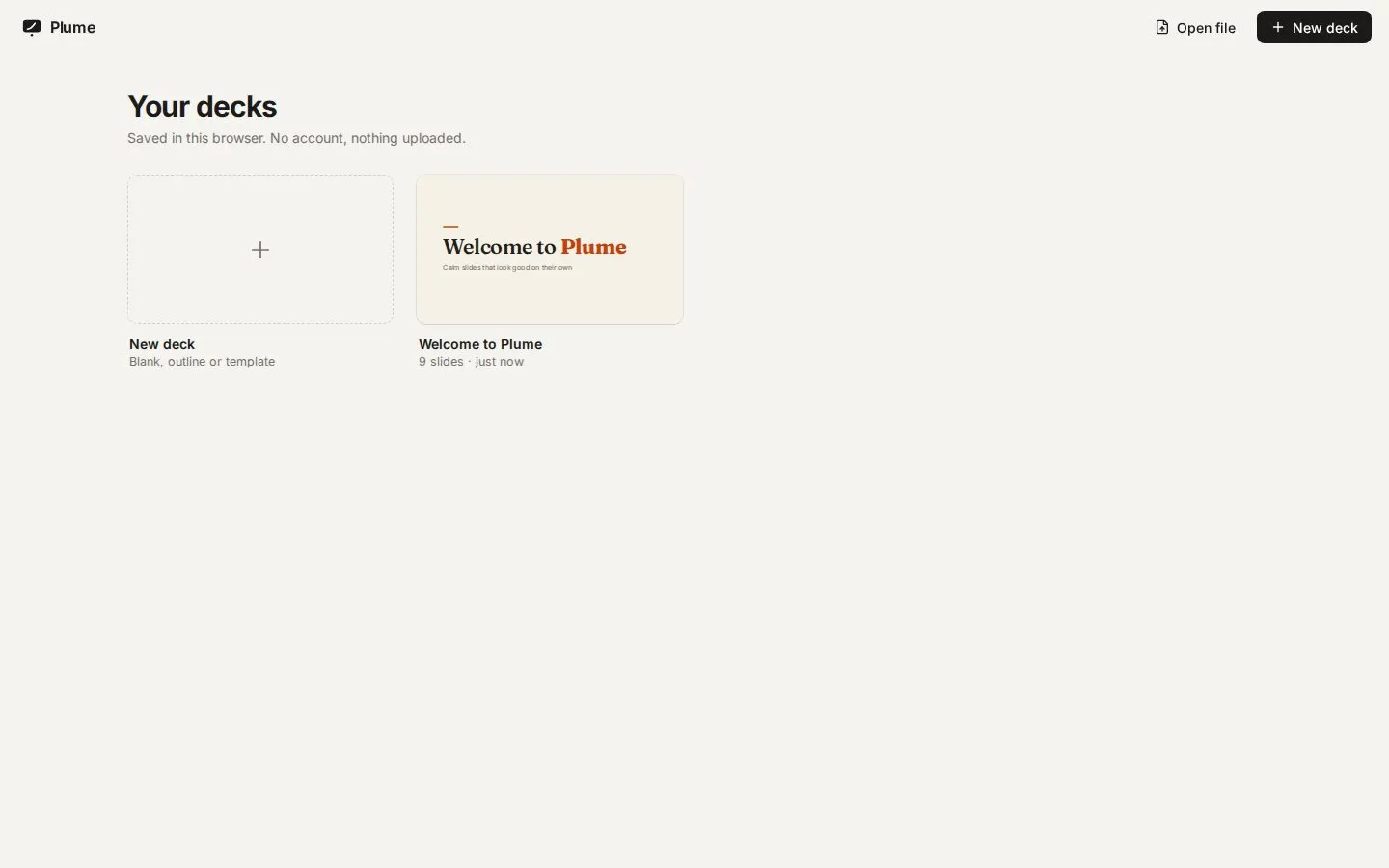
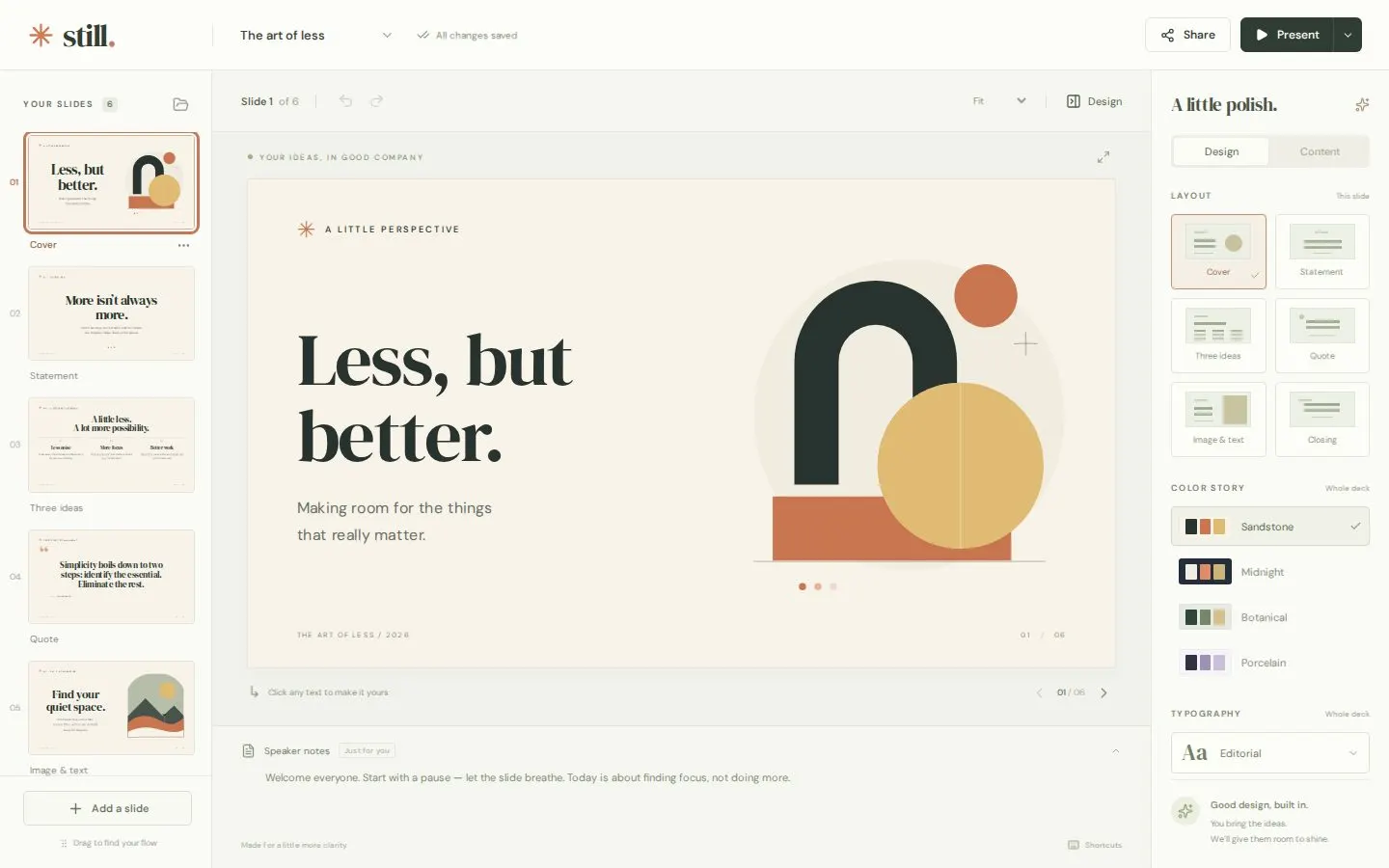
| Claude ProOpus 5.5 | ChatGPT PlusGPT-6.1 Sol | |
|---|---|---|
| Time | 34 min | 19 min |
| 5-hour limit usedClaude Code ran as claude -p, which uses about 1.7 to 1.8 times as much of the 5-hour limit per token as an interactive Claude Code session. | 49% | 7% |
| Same work on the APIat list prices | $9.46 | $0.60 |
| Files in the code | 46 | 12 |
| Lines in the codelockfiles left out | 7,795 | 270 |
| npm packages | 21 | 5 |
| Published app size | 1.4 MB | 308 KB |
What did each agent say it built?
The last message each agent wrote when it finished, unedited.
Opus 5.5 Claude Pro
I built Plume, a slide maker that runs in the browser with no account. It's committed on main, and run.json builds with npm ci && npm run build and serves with vite preview on $PORT. I checked that from a clean copy: it built and the start command served the app (HTTP 200).
How it works
- Making decks: you click on a slide and type. Every slide uses one of 11 layouts (Title, Points, Statement, Section, Image & text, Full image, Columns, Steps, Big number, Chart, Quote). Text shrinks to fit its box, so it doesn't run off the slide. Changing a layout keeps your words.
- Writing an outline: you can paste plain notes or headings and get a whole deck. Each heading becomes a slide and the layout is picked from the content (a number like "3x" becomes a big-number slide, numbered items become steps, "Label: 42" lines become a bar chart).
- Styling: there are 9 themes, and one click restyles the whole deck. You can also pick an accent colour, give a single slide a highlight or inverted background, and choose a slide transition. Bold words in a heading show in the accent colour.
- Editing: undo/redo, autosave in the browser, drag to reorder slides, drop or paste images, speaker notes, keyboard shortcuts, and pasting a list into a bullet makes one point per line. On a phone the slide strip moves to the bottom.
- Presenting: full screen; arrows, space, click or swipe to move on; points can appear one at a time; G shows all slides, B/W blanks the screen, L is a laser pointer, and typing a number then Enter jumps to that slide.
- Presenter view (S): a second window with your notes, the next slide, a timer and a clock, kept in step with the main screen. It also works from the offline file.
- Sharing:
- a link with the whole deck packed into the URL, so nothing is uploaded (speaker notes are left out unless you tick the box);
- PDF through the browser's print dialog, one page per slide;
- a single
.htmlfile that presents offline with its fonts included; - an editable
.plumefile you can open again by dropping it on the home screen.
- First visit: a "Welcome to Plume" deck demonstrates the features, and new decks can start blank, from an outline, or from four example decks.
How I tested it: I drove it in headless Chrome and checked screenshots: typing, splitting and merging points, undo, layout and theme changes, the share link opened in a new tab, the offline file, the PDF output, presenter-view syncing, phone and tablet widths, and slides stuffed with very long text.
Limits and loose ends
- I couldn't test real full screen, the clipboard or the print dialog with a person at the keyboard; those were only checked through the headless browser.
- Share links get long when a deck has photos (about 47K characters with one image). Above roughly 1.8 MB the app tells you to download a file instead.
- There's no stock photo search; you bring your own images.
- The "Photo story" example has empty image placeholders for you to fill.
- An internal review page at
#/gallery(every layout in every theme, plus a long-text test) is still reachable by URL.
The stack is Vite, React and TypeScript with plain CSS and fonts bundled with the app, so it needs no internet connection at runtime.
npm packages: @fontsource-variable/fraunces, @fontsource-variable/inter, @fontsource-variable/jetbrains-mono, @fontsource-variable/manrope, @fontsource-variable/outfit, @fontsource-variable/playfair-display, @fontsource-variable/space-grotesk, @fontsource/dm-serif-display, @fontsource/instrument-serif, idb-keyval, lucide-react, lz-string, react, react-dom, @types/node, @types/react, @types/react-dom, @vitejs/plugin-react, oxlint, typescript, vite
GPT-6.1 Sol ChatGPT Plus
Built Still, a calm presentation studio with polished layouts, direct text editing, themes, image uploads, and automatic local saving.
Includes slide reordering, undo/redo, speaker notes, fullscreen presenting, share links, deck import/export, and PDF export—no account required.
Added run.json. Production build and browser tests pass.
npm packages: lucide-react, react, react-dom, @playwright/test, vite
What was the prompt?
Both agents got this brief once, followed by the delivery contract that ends every prompt. Download the full prompt (.md)
A presentation maker people would pick over the one at work
Build a browser app for making slide decks and presenting them.
Most slide tools are crowded with buttons. Make one that feels calm and quick, makes ordinary people's slides look good, and makes presenting feel great. How decks are made, styled, saved and shared is up to you.
It runs in the browser without sign-up or accounts.